Archive

Archive for the ‘Tips’ Category

Shadows in Nuke

March 28th, 2010

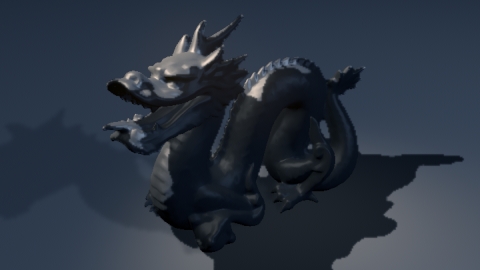
(Man, is this guy obsessed with the stanford dragon)

So here’s a little trick to get some dodgy hacky shadows in Nuke , by comparing projected and “rendered” pWorld passes we can derive the difference easily and use that as a shadow matte. Still aliasing and various issues, but works pretty well actually.

Node requires geo, camera, bg and lights. Supports all regular nuke geo.

*Nuke script with gizmo/group , Geo needs reloading.

http://www.euqahuba.com/tools/nuke_shadows.rar

*Just the group in a txt file

http://www.euqahuba.com/tools/shadows.txt

Now, to trace the rays…Zomg!

-theo

theo Compositing, Tips, Uncategorized

Slice and plot my scanline!

January 25th, 2010

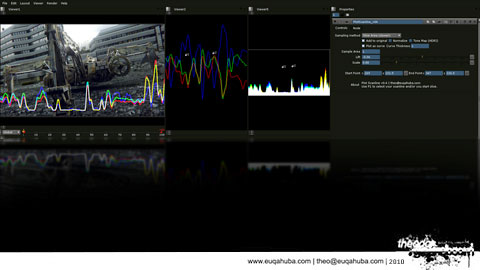
I’ve been playing with the expression node in Nuke lately, and one of the things I made was  a simple Slice tool/scanline plotter. It can sample a slice (between two points) and will plot the color values as a curve over the image.

I’ve wrapped it up in a group with a set of exposed parameters, but not exported as a gizmo, just because it might be handy to just copy/pasta it into your scripts somewhere  without the need to embed it into a pipeline.

It has three modes, per pixel which is checking the raw pixels, and a sample area which is similar to the per pixel method but it can sample a larger area pr pixel as well. (using the ex:  r(x,y,5,5) function) and one that will use the first point to determine which full scanline to sample and plot.

Maybe someone will find it usefull, maybe someone will……….buy me a beer….

Download here and open .txt file and paste into Nuke DAG.

theo Compositing, Tips, Tools & development